I worked as a projectionist at Celebration Cinema South for nearly four years before I attended the Information Security and Intelligence program at Ferris State University. Since I’ve been on a roll with reflecting on my prior experiences lately, I thought now would be a good opportunity to write about being a projectionist. What was it like? What did I learn? Most importantly, how did my experience prepare me to be a cybersecurity analyst?
How to Be a Projectionist
I loved being a projectionist. I won’t pretend that it’s one of the most important jobs in the world, but there’s something special about being trusted to control $1,000,000+ worth of multiplex-grade AV equipment while you’re still in school. (Also, free movies!)
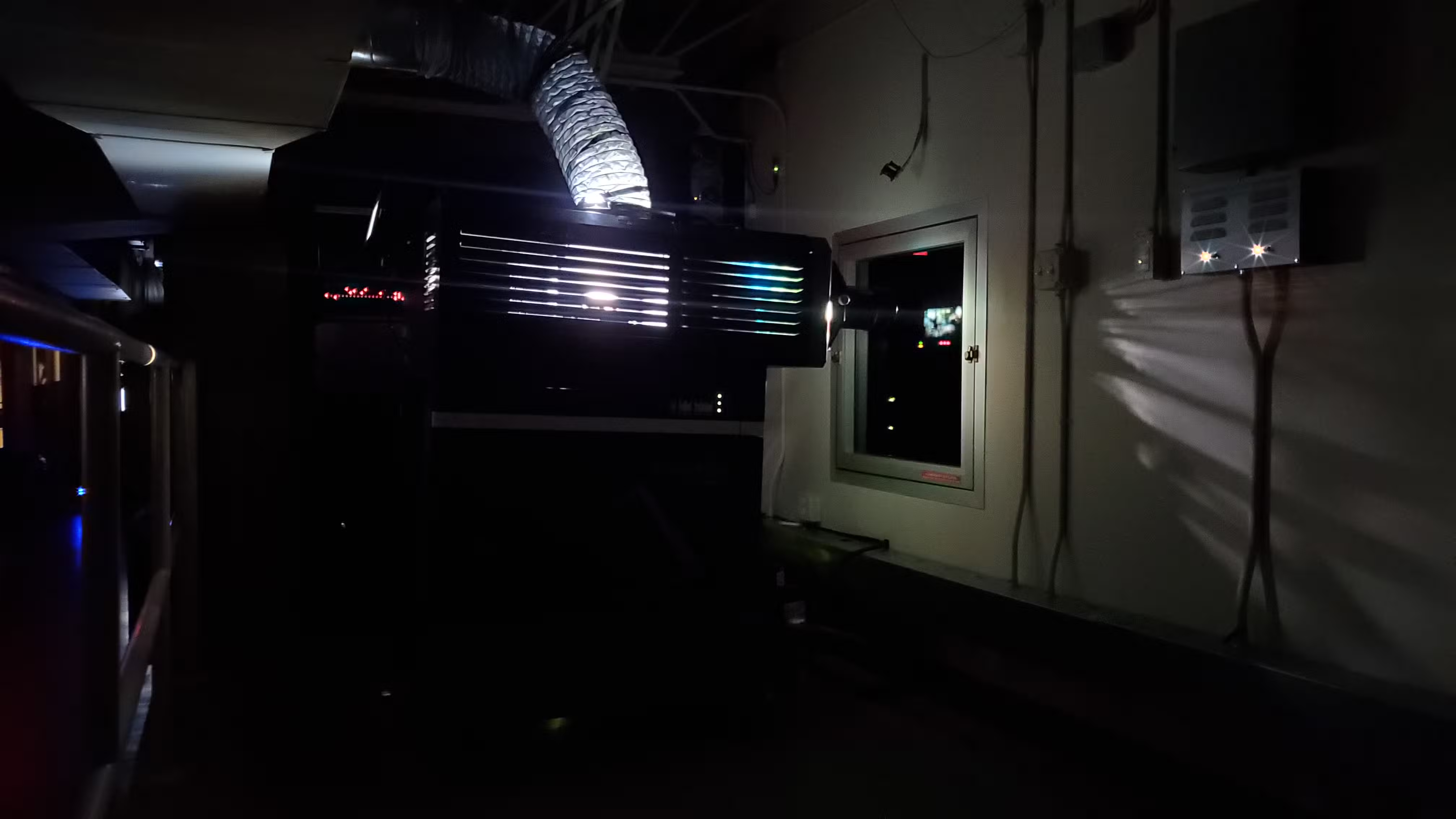
At a broad level, being a projectionist requires the following:
- A very high attention to detail and awareness of time
- Strong multitasking and communication abilities
- Technical and computer skills
- Ability to remain calm and composed under pressure or stress
- Self-managed and directed, able to operate effectively with little or no supervision
- The patience, aptitude, and care to handle expensive and sensitive equipment
We spend much of our time upstairs in the projection booth (with some exceptions) overseeing general operations and attending to any recurring weekly tasks. This could involve a variety of activities such as performing maintenance and testing on our projection equipment, managing digital cinema content, and completing administrative tasks in preparation for upcoming films. You can view a full list below if you’re interested.
View weekly duties…
Friday:
- Deletions on the TMS
- Deletions on houses
- Check for any content drives to return
- Good Clean/AV Check #1 and #2
Saturday:
- Good Clean/AV Check #3, #4, and #5
Sunday:
- Good Clean/AV Check #6, #7, and #8
Monday:
- Retrieve credit offsets and add to BackOffice
- Update the DPL
- Good Clean/AV Check #9 (MasterImage) and #10
Tuesday:
- Good Clean/AV Check #11 and #12
Wednesday:
- Ingest TrailMix
- Update Print IDs in Showtime Manager
- Build new show lists
- Link new shows
- Perform DBOX Audio Mapping
- Good Clean/AV Check #13 and #14
Thursday:
- Check screening checklists
- Update Movie CCAP list and hang in box office
- Preshow updates (check for specific back-placements)
- Delete trailers from TMS
- Check for any promotional items to rotate
- Good Clean/AV Check #15 (MasterImage) and #16 (MasterImage)
Every day:
- Help on the floor
- Check first starts
- Ingest incoming content and keys
- Bring projection deliveries upstairs
- Rotate posters at EoN (if necessary)
- Theater checks
- Lot checks
In addition to, well… making sure our guests actually have movies to watch, we can also serve as subject matter experts when group events with special AV needs are booked in our auditoriums. We’re responsible for making sure that all the systems function perfectly at the time of the event, which often involves significant amounts of planning and testing. More on this later.
In the absence of any projection tasks and group events, we’re expected to find other ways to be productive by working on projects and helping out the customer-facing employees on the floor. After all, every projectionist has already been trained as an usher, box office cashier, concession worker, and sometimes even as a manager.
Not everything always goes according to plan, however. When you’re the projectionist, you’re expected to be available on the radio at all times (i.e., no breaks) ready to handle any presentation issues immediately as they occur. Basically, you’re also an incident responder.
Basic Information
This section outlines some basic information in order to give additional context to the remainder of the post. See this satellite photo of the theater:
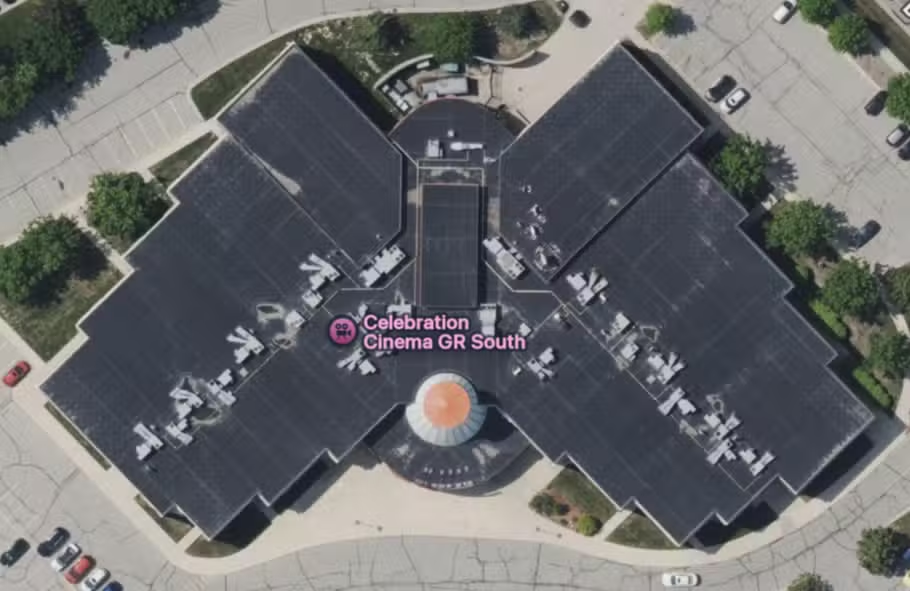
The main lobby runs vertically up and down the center of the building in this image with two hallways (branching from the left and right) that each lead to eight auditoriums. Each side of the building has a separate projection booth connected by a catwalk that crosses the lobby so we can access the other side without going downstairs. The right side has a staircase, while the left side has an elevator (technically, both sides have staircases but the left one locks behind you—exit only).
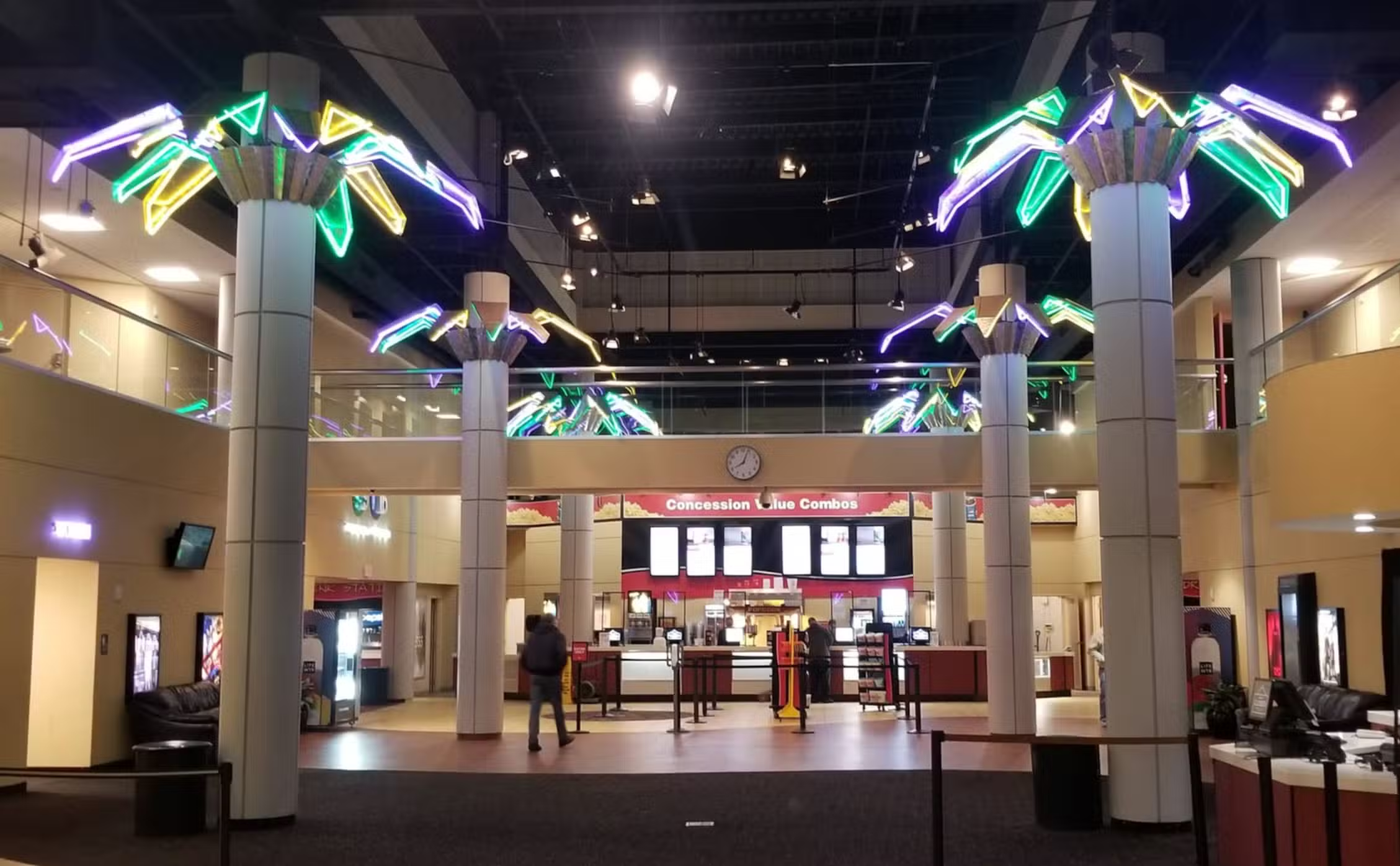
To summarize:
- The right/north side is called the “north booth” (theaters 1-8)
- Accessed via staircase
- The left/south side is called the “south booth” (theaters 9-16)
- Accessed via north side staircase and catwalk (faster) or south side elevator (slower)
That’s pretty much it as far as the physical layout of the building goes. Now we can talk about some basic projection stuff. Fortunately, I still have a copy of the Projection Basics Reference Sheet that I created to help train new projectionists. See the terminology and acronyms below, then I’ll do some additional explaining:
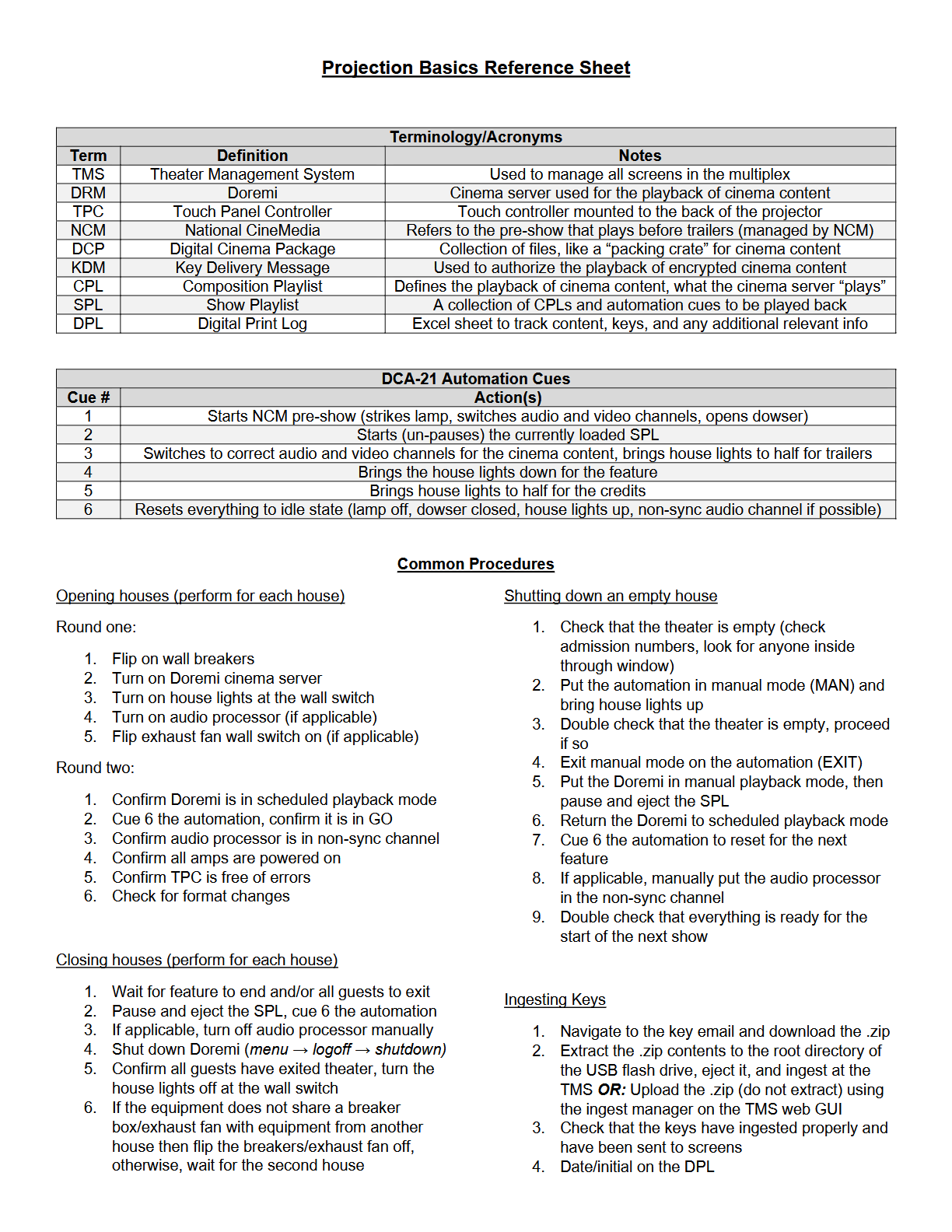
It can seem a little dense at first glance if you don’t have a trainer to go over it with you first, but it’s pretty simple when you get down to it. You can ignore the automation cues and common procedures for the most part. This is basically what you need to know:
- Every auditorium has a projector with a Touch Panel Controller (TPC) and Doremi cinema server
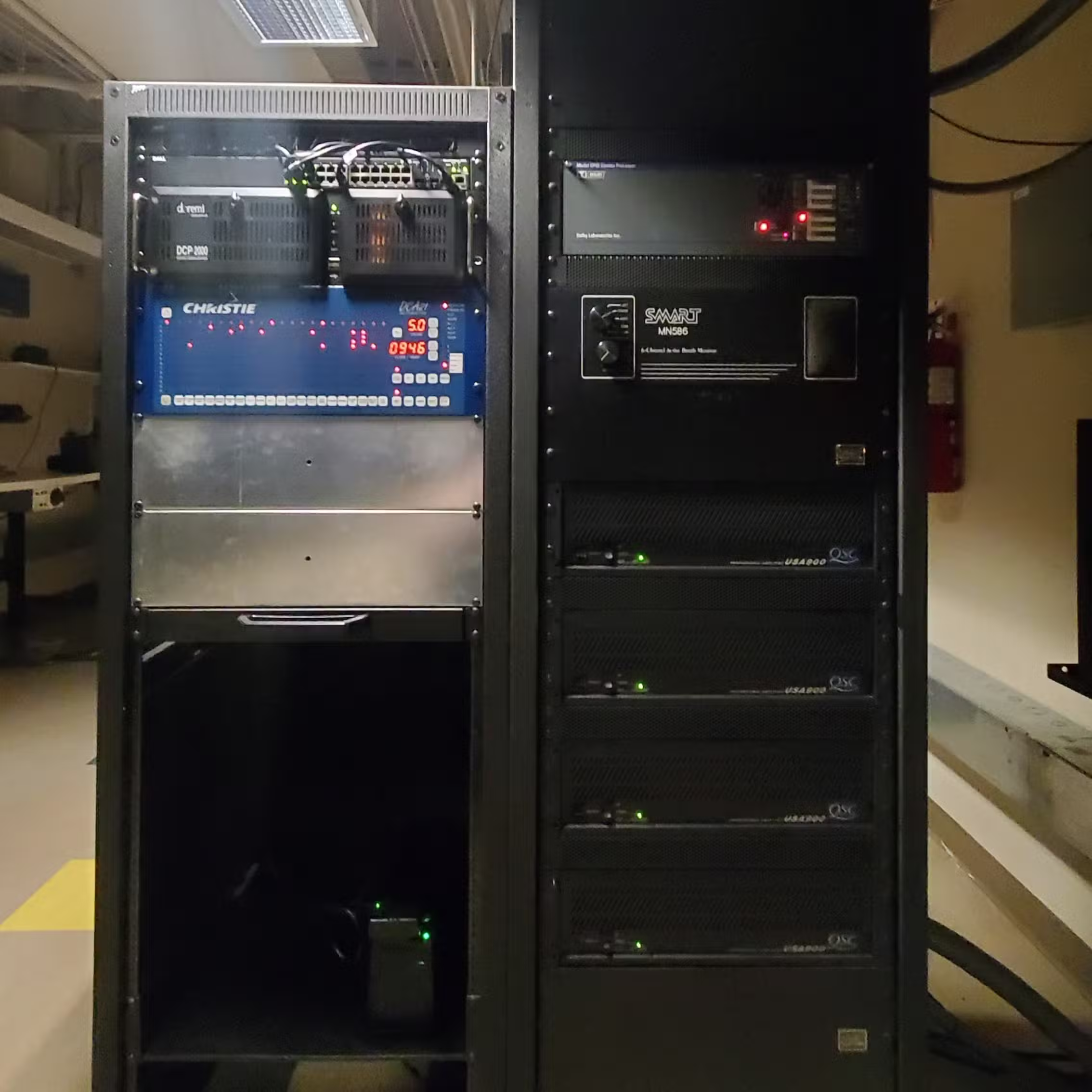
- Every auditorium also has a sound processor and a set of amplifiers, although configurations will vary
- Projectors display images, Doremis play back the cinema content, and the sound systems handle audio
- An automation panel orchestrates and cues the aforementioned systems during scheduled playback
- We have a Theater Management System (TMS) to monitor and control the multiplex from a central location
- We use the TMS and Doremis to build Show Playlists (SPLs) that can control the entire presentation
- SPLs contain automation panel cues and Composition Playlists (CPLs), CPLs are the actual cinema content
- We obtain CPLs by “ingesting” Digital Cinema Packages (DCPs) to the Doremis or TMS
- CPLs are encrypted and require a Key Delivery Message (KDM) to play, valid only for a limited time
- We use the Digital Print Log (DPL) to track the status of content, keys, and related info across the multiplex
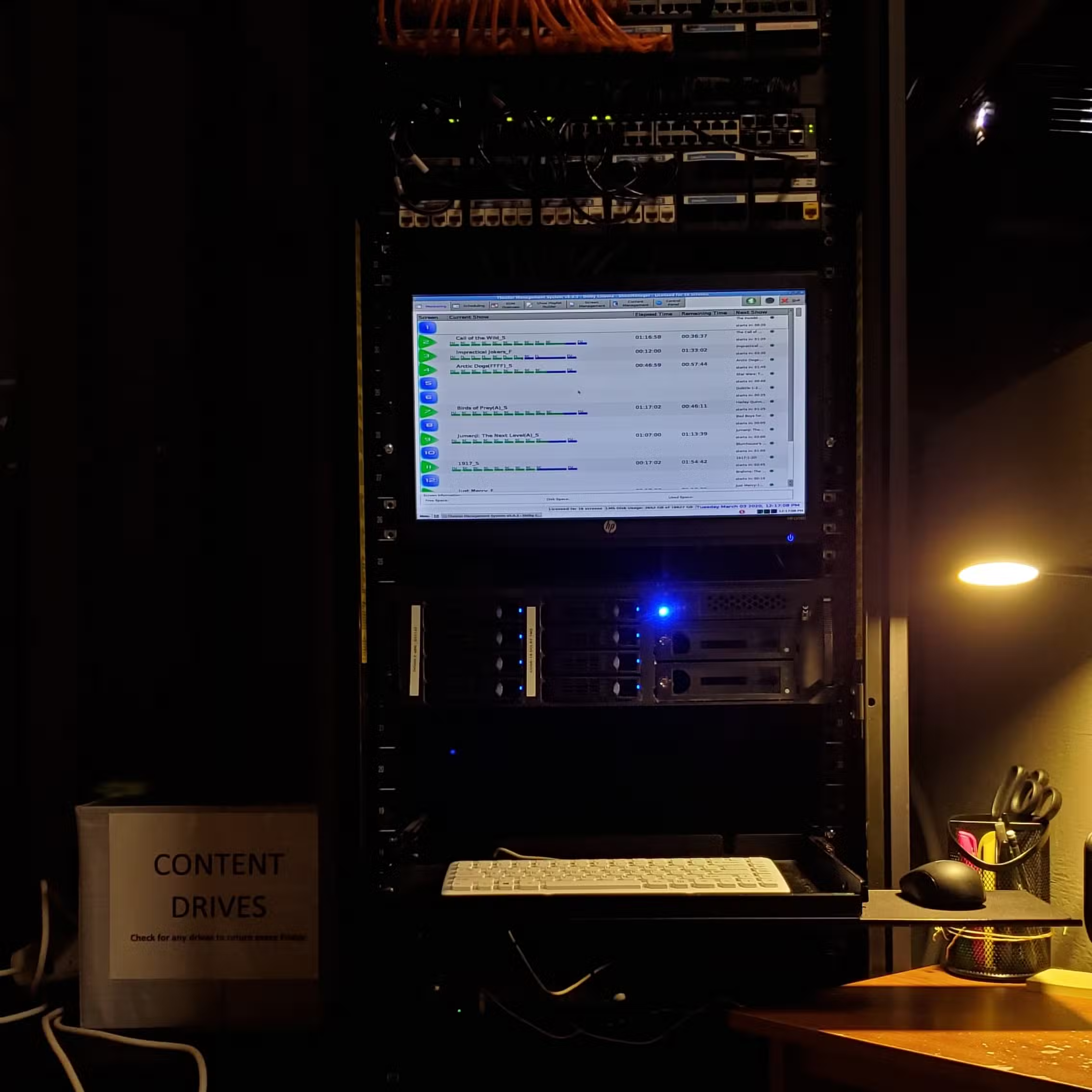
Managing a Multiplex
Every single second matters when you’re operating the projection booth. When I worked at the theater, I synchronized my wristwatch with the TMS clock down to the second at the start of every single shift. The building has 16 auditoriums, which means 16 sets of projectors, cinema servers, and sound processors. Despite the fact that much of it was getting a little old, trust me when I say that not one of those systems is going to be even a second behind the TMS schedule, so you’d better not be either.
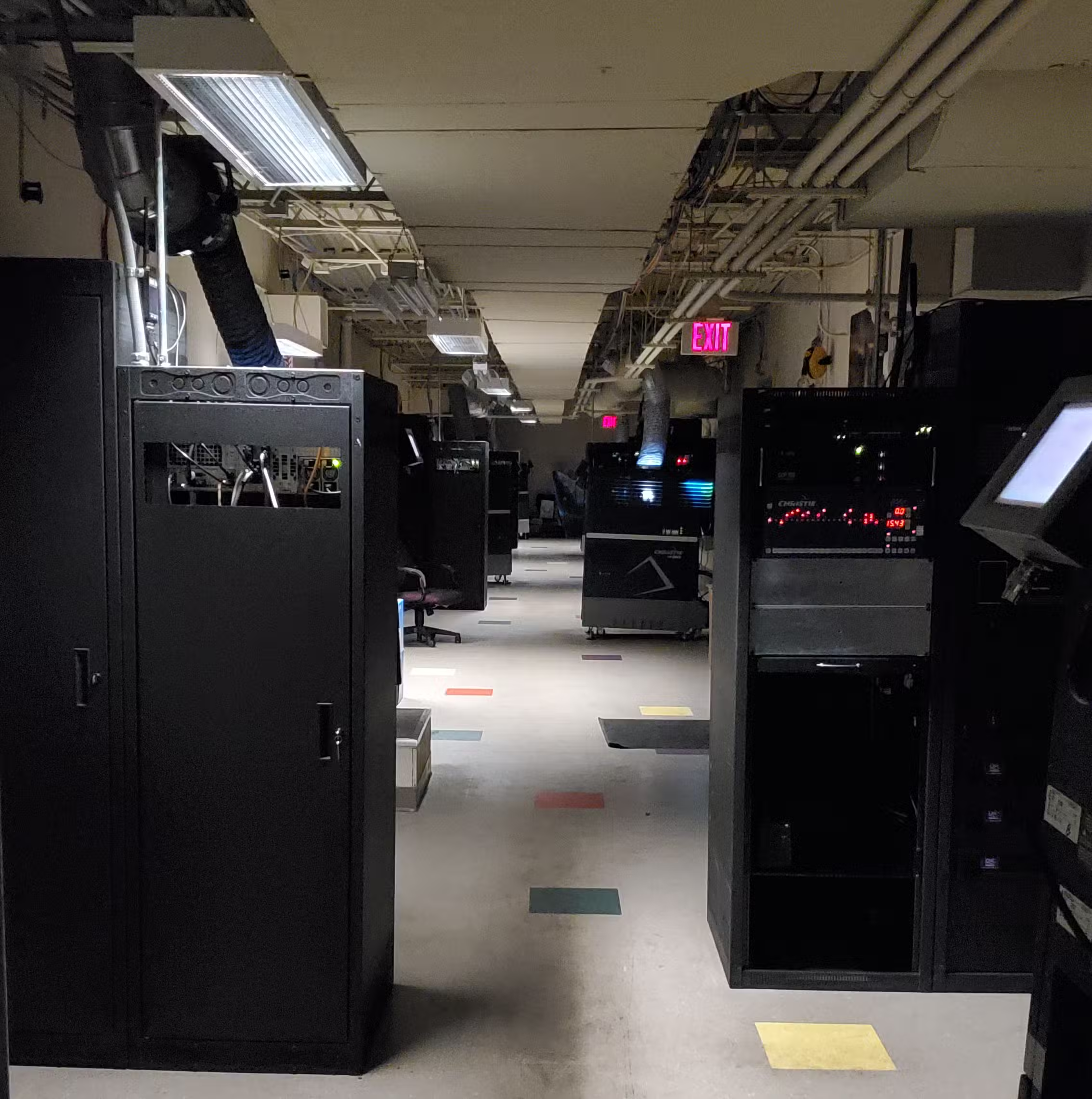
Accurate and intentional timekeeping is a must, so I highly recommend a Casio with that annoying hourly beep turned on.
Imagine for a moment that you’re working the booth on a Christmas night. There are currently hundreds of guests inside the building (perhaps nearly 2,000) on one of the busiest days of the year, and you’re helping some of the ushers clean up after a particularly messy showtime of The Polar Express. You’re in the middle of sweeping popcorn when you remember that theater 15 needs to be set up for 3D showtimes at 7:20. Then you check your phone and notice that the time is 7:19.
You begin sprinting out of the theater almost immediately, but you have to wade through an ocean of people in the lobby before you can make it up the stairs (the elevator is too slow), across the catwalk, through the security door, and finally to that projector. It’s going to take about 30 seconds for the MasterImage 3D wheel to raise into position and spin up. Do you still have enough time?
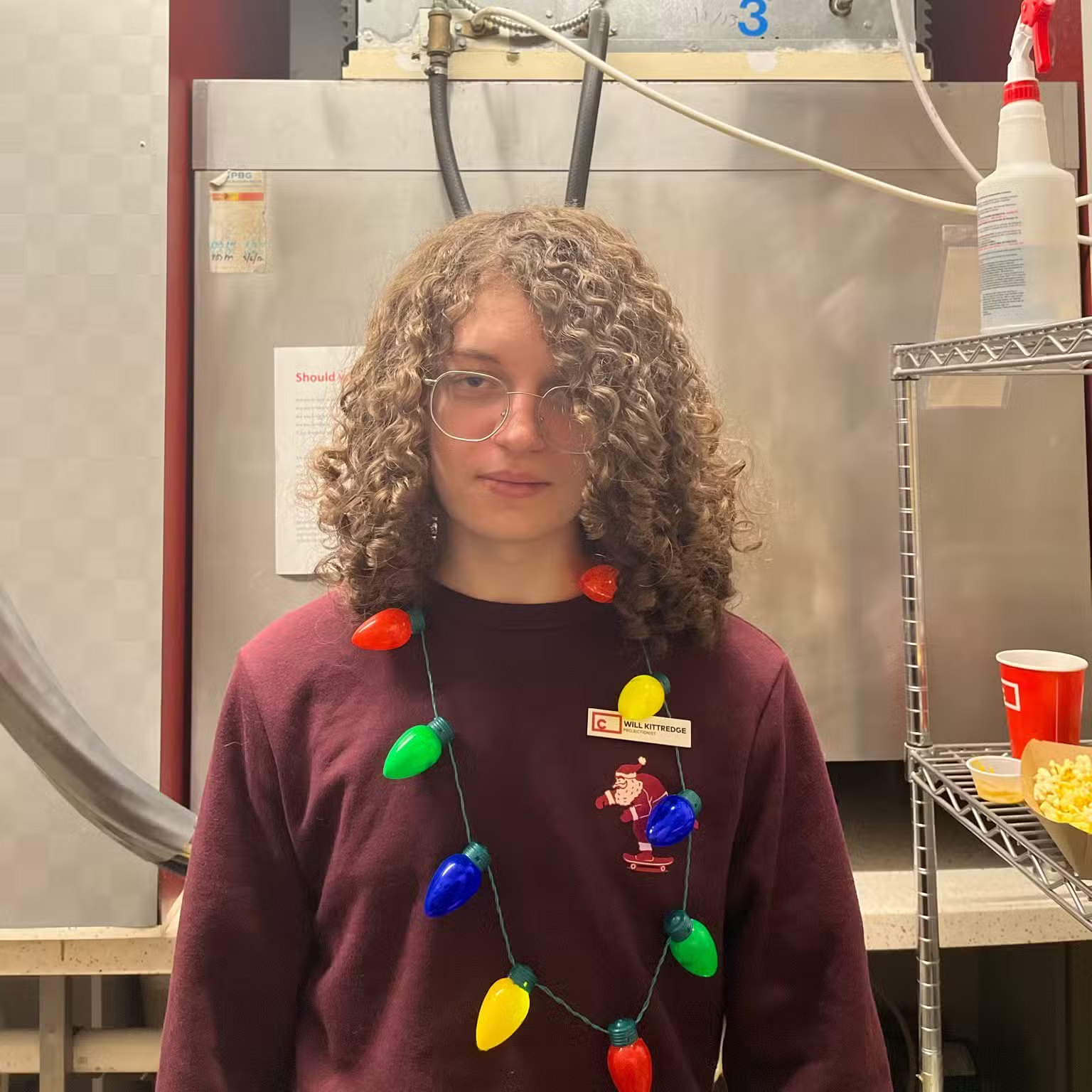
That story was just for illustrative purposes, but the point is that you always need to be aware of what’s happening. While it’s true that a lot of our equipment operates on schedules that can (and often do) run showtimes automatically, you also have to remember that there’s a lot still happening manually. There are many opportunities for things to go wrong if you aren’t paying attention to your tasks, not to mention the possibility of technology errors.
At the end of the day it’s on you to be aware of what every piece of projection technology should be doing, making sure it actually happens, and fixing things if it doesn’t. This means being hyper-aware of the schedule, current time, and even your physical location within the building. That becomes second nature soon enough, but I always wrote down any important times and set reminders at the start of my shifts.
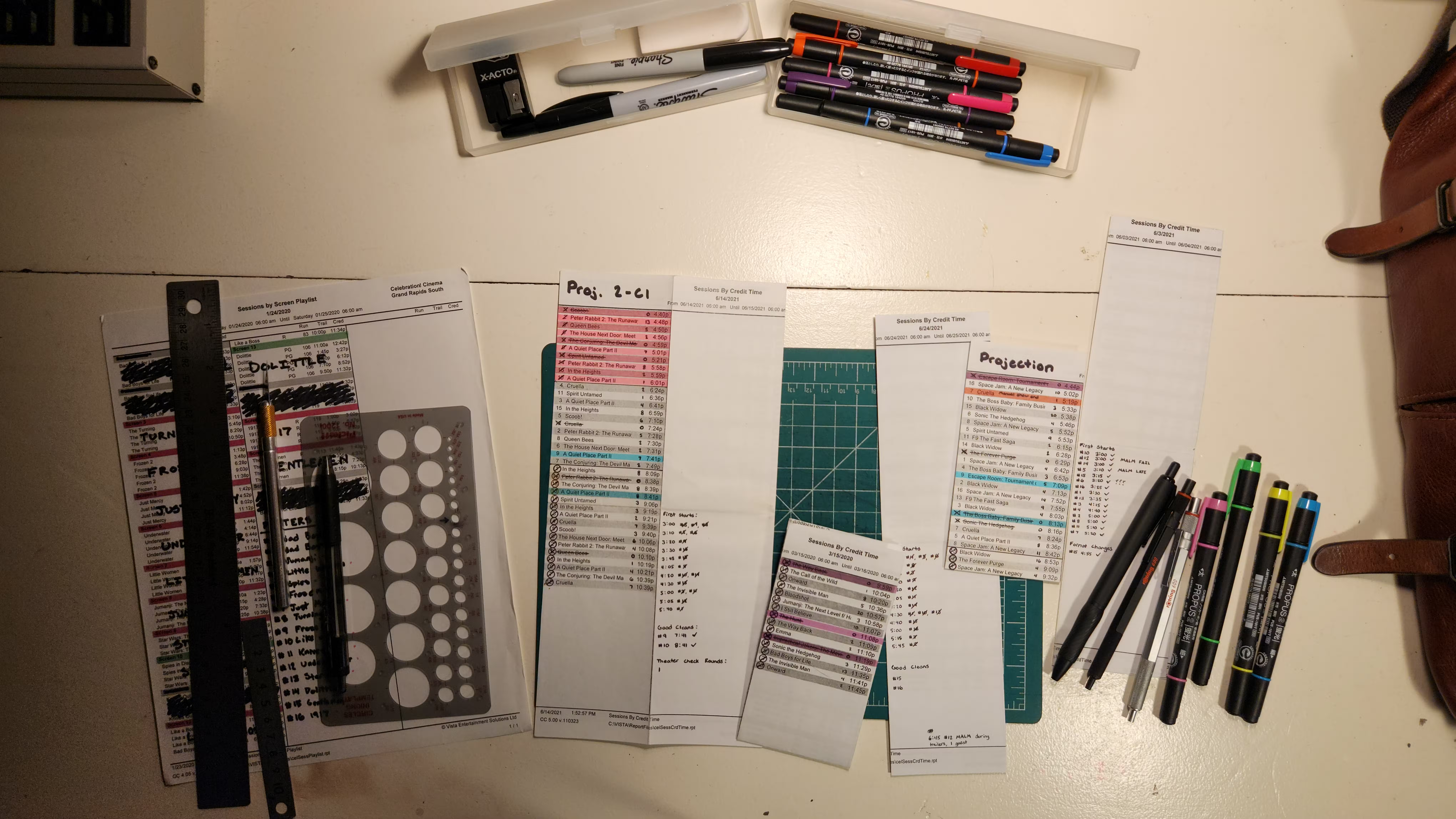
Call me crazy, but I was practically religious about ensuring that everything operated as flawlessly as I could make it. I put a significant amount of effort into preparing my schedule at the start of every shift, going so far as to bring rulers, cutting mats, X-Acto knives, highlighters, and stencils to mark them up perfectly. In four years, I didn’t have a single human error on my record.
Operating a Projector
Let’s say you wanted (or needed) to manually operate one of the projectors. What would you do?
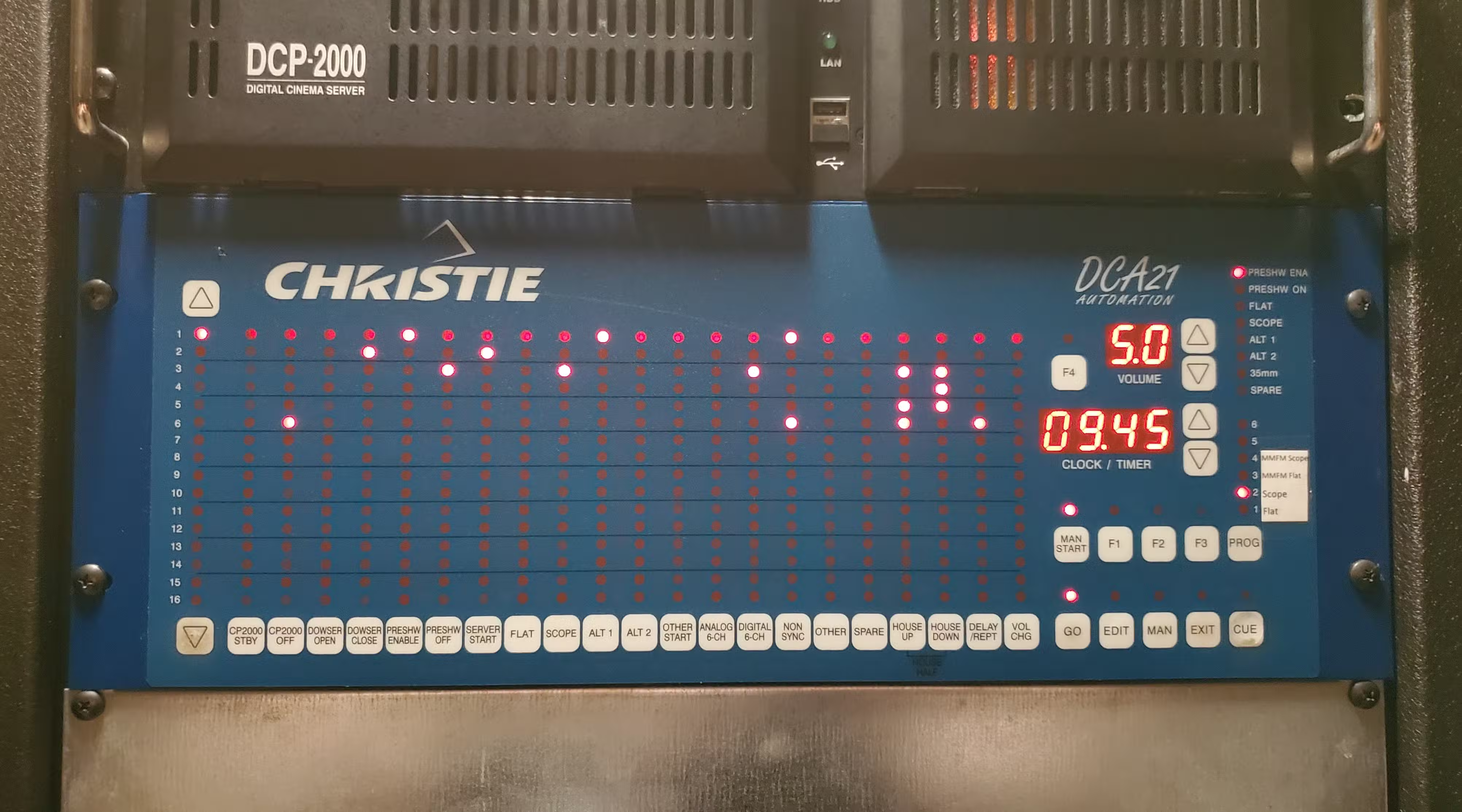
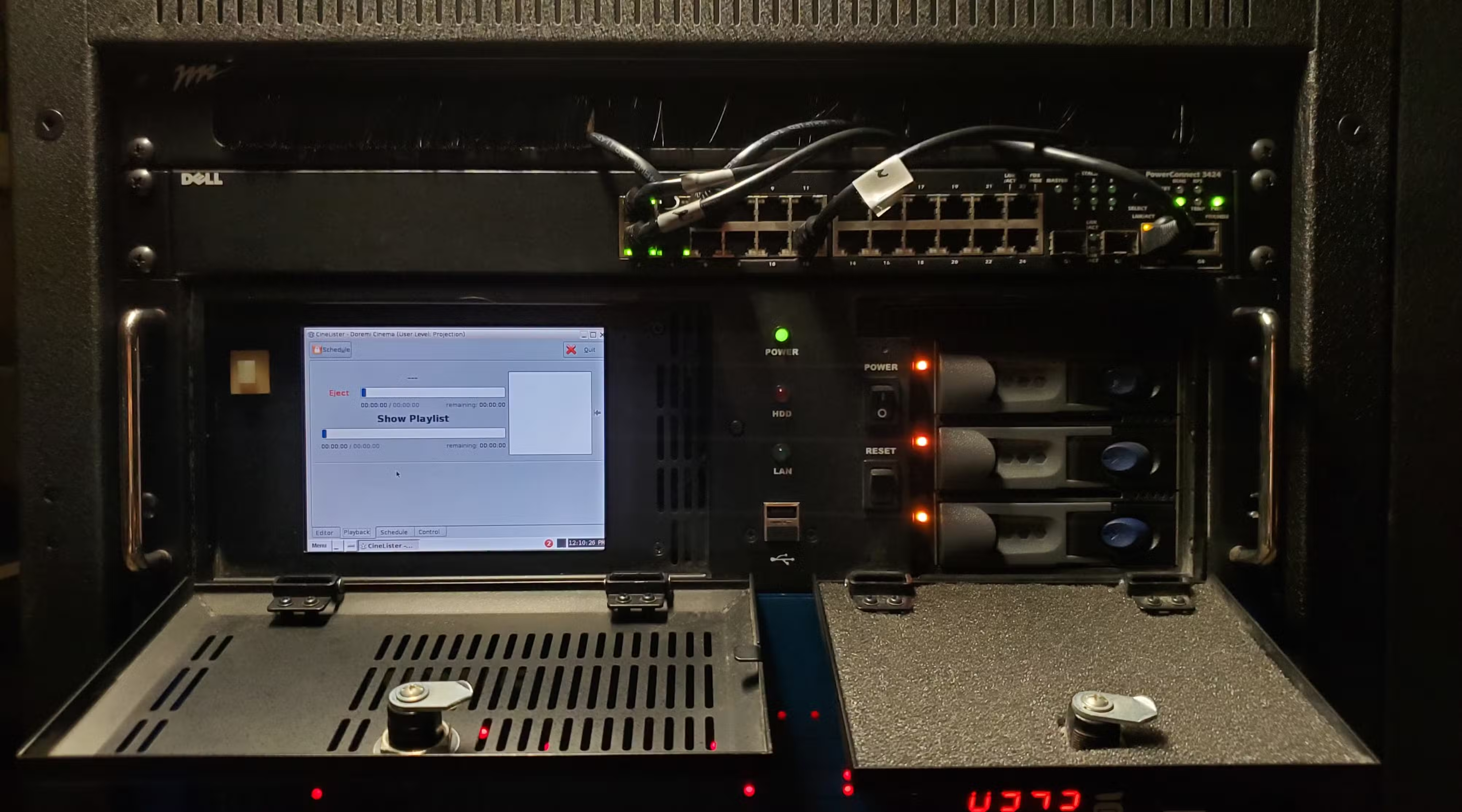
Step one is probably going to be terminating the automation program to make sure that a stray cue doesn’t come when you’re least expecting it and mess with your workflow. Go to the DCA21 automation panel and press EXIT, and then press MAN to disable GO mode. Now go to the Doremi’s playback tab and enable manual mode to prevent it from overriding any changes you’re about to make, regardless of what the schedule says.
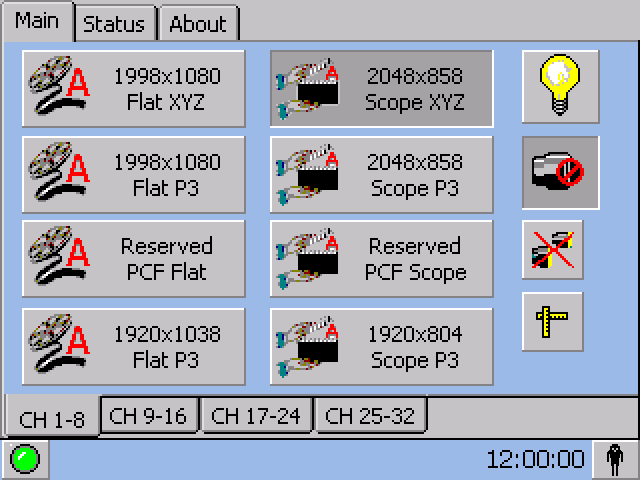
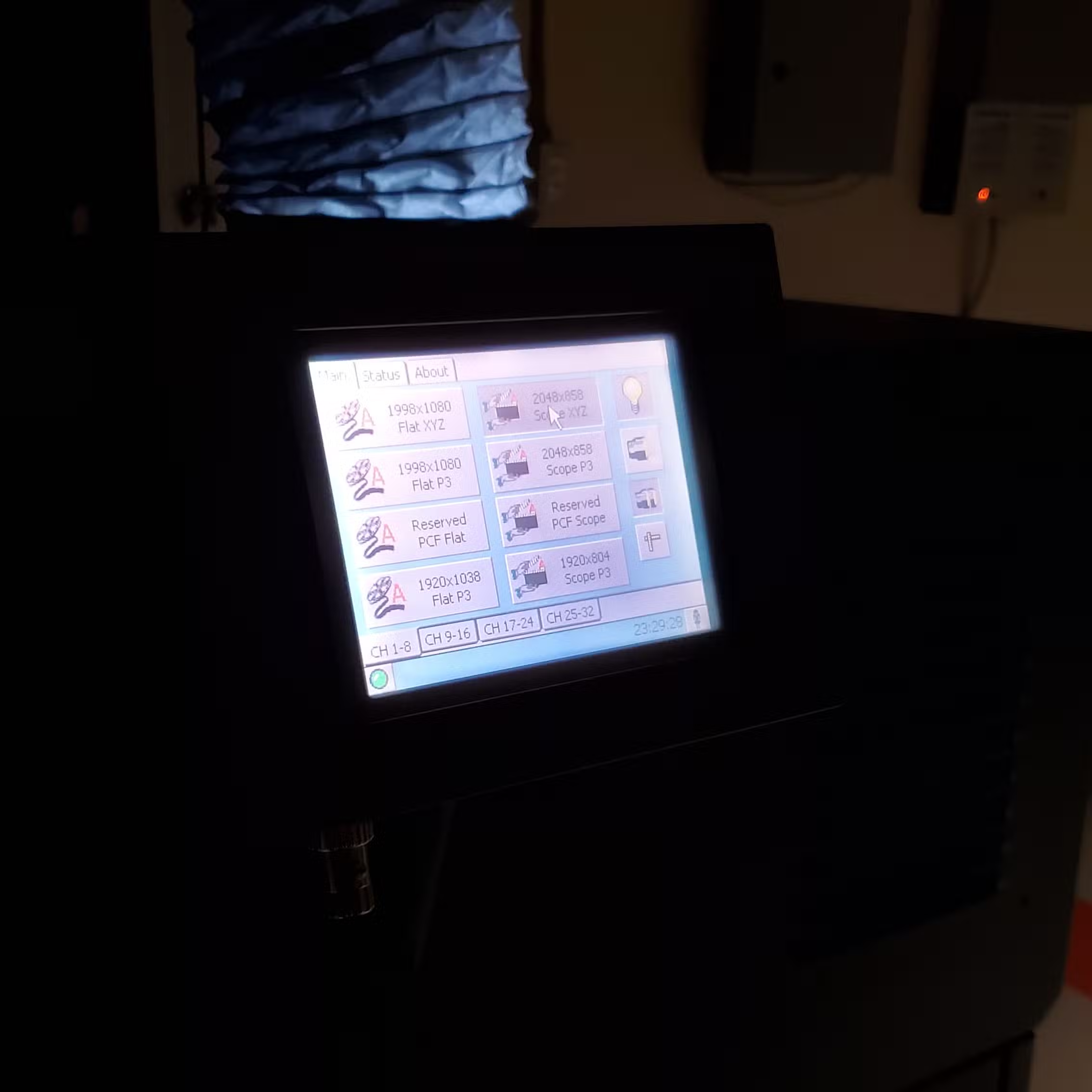
Next up is checking the projector’s TPC for errors. If everything looks good (green status icon), you can strike the lamp (press and hold the light bulb icon) to get it warming up while you take care of the next steps. It would be wise to make sure that the dowser is closed (blocked lens icon) so that no light accidentally reaches the screen before you’re ready.
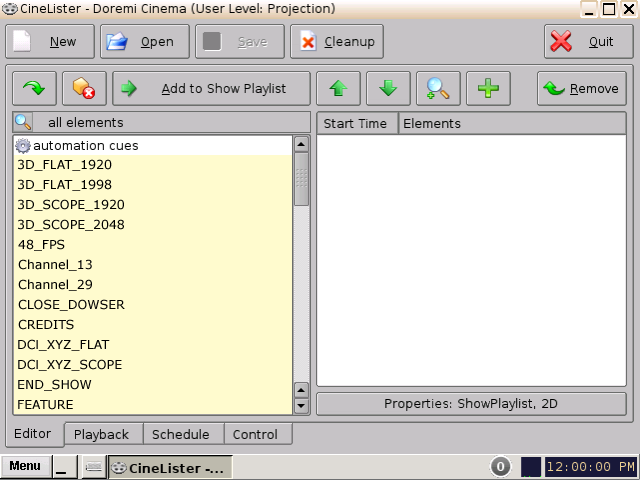
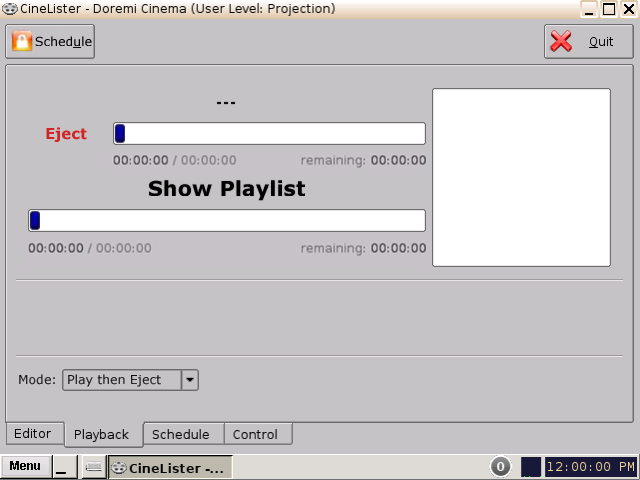
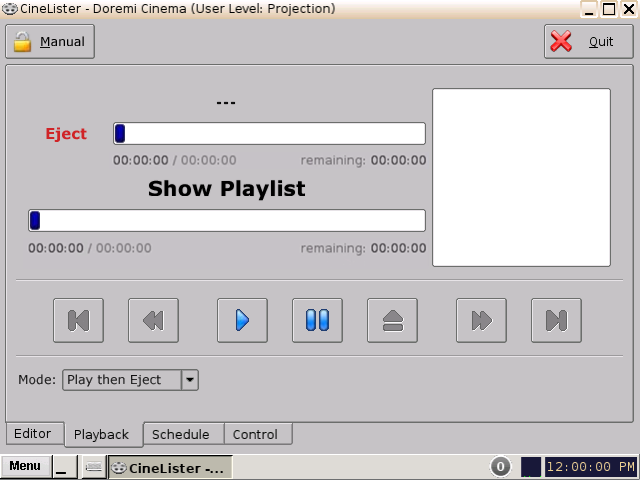
Now we need to go back to the Doremi and choose some content to play back. You could load one of the prebuilt SPLs, make a new one, or even edit an existing one. Once that’s done, you can go back to the playback tab and press the pause button the load the SPL without starting it.
One important thing to note here is that you need to make sure the projector is using the correct channel for the content’s aspect ratio. Typically, this will either be Flat or Scope (aka CinemaScope). You also need to make sure the projector is physically capable of displaying the aspect ratio. Some require a manual lens adjustment procedure when you switch aspect ratios, while others might have a Motorized Auxiliary Lens Mount (MALM) that you can toggle from the TPC.

Almost there! Now that the projector and Doremi are ready, we just have to make sure that the audio processor is set to the SERVER channel to ensure that cinema content is audible in the auditorium. After this you can open the dowser and play the SPL.
All of this becomes automatic the more you do it. This is actually the easy part—the hard part is when you need to make unplanned manual adjustments on-the-fly without disrupting the rest of the schedule. This is where experience and skill can make a massive difference. It isn’t very wise to keep manual modes enabled for any longer than you absolutely need to, so the detailed procedures for running manual shows will likely be more complicated depending on the situation.
Running Group Events
Group events, while sometimes exhausting, were probably some of my favorite parts about being a projectionist. I have fond memories of setting up our equipment with the team, configuring the AV systems, planning and practicing our motions, and then pulling it all off perfectly when the moment is right.
Some events required nothing more than starting the feature at a specific time of the organizer’s choosing, while others were so involved that they might need another dedicated projectionist on staff. We would typically switch to a different radio channel so we could communicate with group coordinators without disrupting the rest of the theater.
The most involved set of group events that I remember were for a nice man called Anup. I believe he was from Nepal or Bangladesh, but I can’t remember anymore. He was interested in hosting events at the theater where we would play some films from his native country, which presented a number of challenges for us. For one, there was a slight language barrier that made it harder to communicate effectively. But the bigger problem (by far) was the cinema content itself.
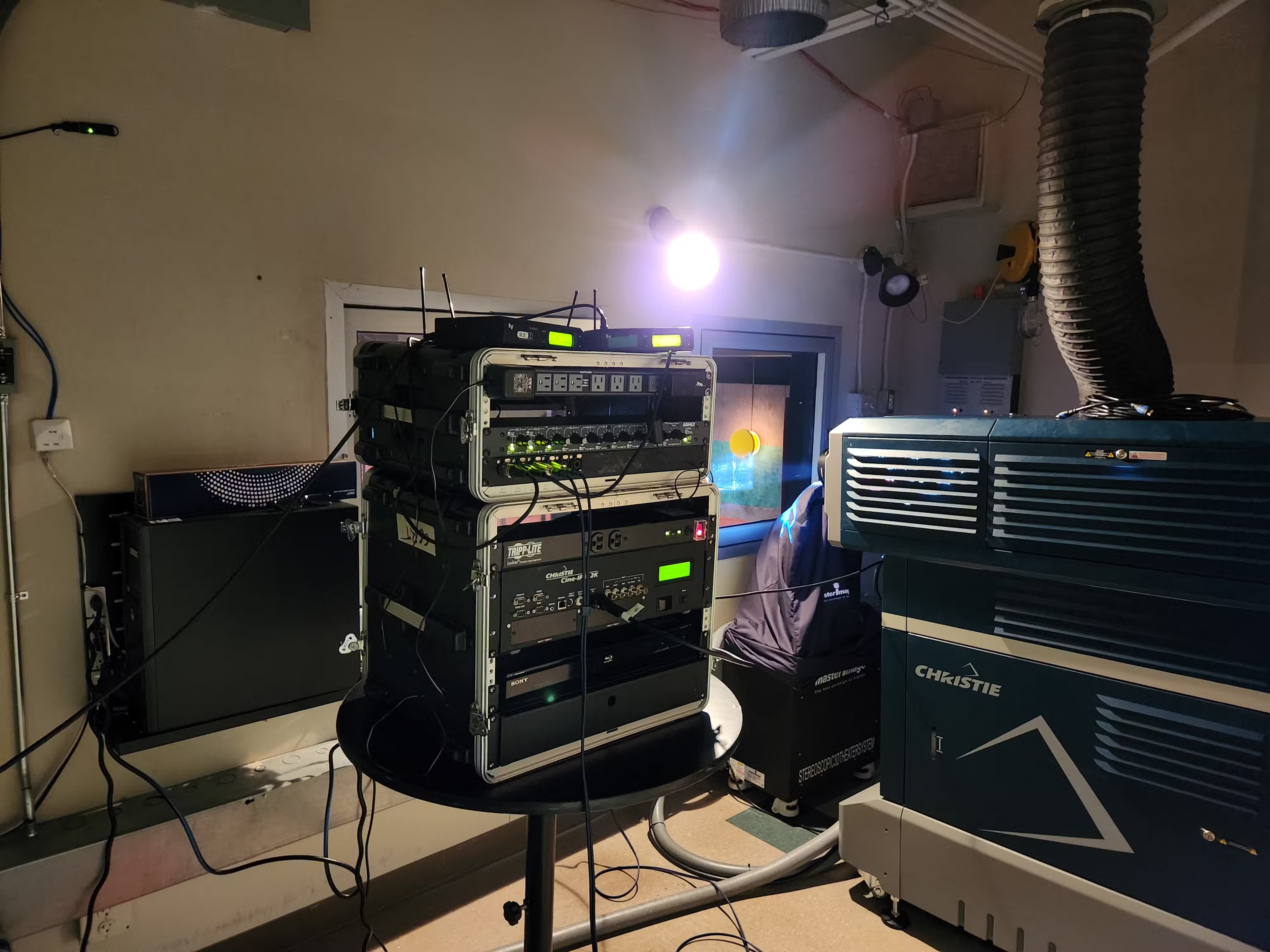
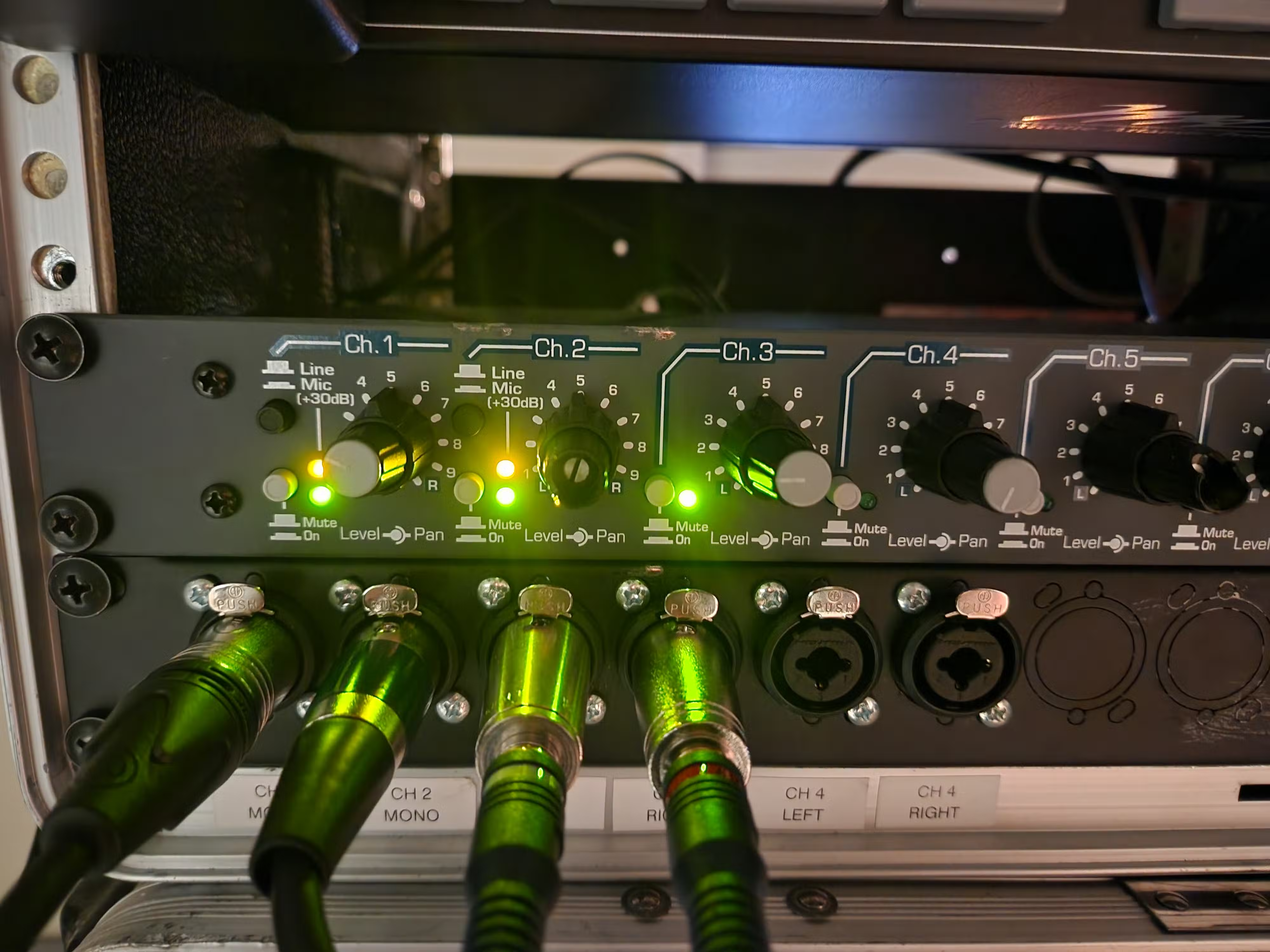
Originally, Anup came to us with a standard video file (mp4 or similar). The movie was intended to be projected in Scope format, but our scaler (used for non-cinema content, see picture 1 above) simply wasn’t able to manage this during testing. Anup was eventually able to get us a real DCP so we could play it directly, but none of our Doremis would ingest it or recognize the content as playable. I then attempted to make my own DCP from his original video file using DCP-o-matic, but this was also unsuccessful. We had to settle with using the scaler to make the image as large as possible, and then used the (now manually operated) curtains to hide the empty screen space inside the auditorium.
This actually required three people to pull off in the moment. I was upstairs with fellow projectionist Dave, and our manager Allyssa was down in the auditorium. When the time was right, Allyssa cued us over the radio and started moving the curtains into position. Then, Dave and I had to pull of a series of very fast changes from regular DCP content (for trailers) to HDMI from the scaler for Anup’s screening. Dave operated the Doremi, automation panel, and audio processor while I operated the projector and adjusted the lens. Basically, we had only about 5-10 seconds to do all the following:
- Close the projector dowser
- Terminate automation and eject the trailers SPL
- Fade the house lights out for the feature
- Switch to the non-sync audio channel and adjust volume for the feature
- Switch the projector to the alternative content channel
- Adjust and refocus the lens blind—remember the dowser is still closed (this normally takes multiple minutes even when you can see)
- Open the dowser and begin content playback
It took a lot of preparation, but it went off exactly as planned. We’re still proud of this one!
Lessons Learned
There’s more that goes into being a projectionist than just what I was able to fit here, but that’s pretty much the gist of what it was like. So, what did I learn?
Perhaps the most important lesson I learned from my time at Celebration Cinema was the value of being on a team and contributing to something larger than yourself. All of us (the whole staff) were on the same page and working towards the same goal—we were darn good at our jobs and had a ton of fun doing so. I can wholeheartedly say that if working at the theater paid the bills then I might have kept this job forever. Our work culture was something very special. As much as I loved the job, it was nothing compared to the people.
Moreover, you should take pride in your work. I mentioned at the start that I’m fully aware a projectionist job isn’t all that important in the grand scheme of things, but I hope you can see that I still gave it my all regardless. Put in the effort. People will notice, and results will follow.
Apart from that, the theater was a great place to build soft skills and learn about what good service looks like. We called this celebrated service, something you might be familiar with from the celebrated service award if you’re from the area. One thing I’ll never forget from our training is this quote:
People will forget what you said, people will forget what you did, but people will always remember how you made them feel.
This is the essence of celebrated service:
- Our customers aren’t just guests, they can also be our coworkers, community members, and vendors
- Engage with guests for as long as they want, not as little as possible
- Figure out what they want and get it for them accurately, politely, and enthusiastically
- Make their interaction with us the best part of their day
- Go the extra mile—do something nice that the guest didn’t ask for
None of the most important lessons I learned related to technical skills, although I did certainly get a lot of practice at improving those too. My most important lessons involved developing better interpersonal skills, becoming a better communicator, and learning how to be the best team player that I possibly could. Being a projectionist, just like being a cybersecurity analyst, is not just about your technical skills. Those can be taught and studied. It’s the way that you operate, the mindset you have, and the disciplines you display that will distinguish you from others.
Theater Memories

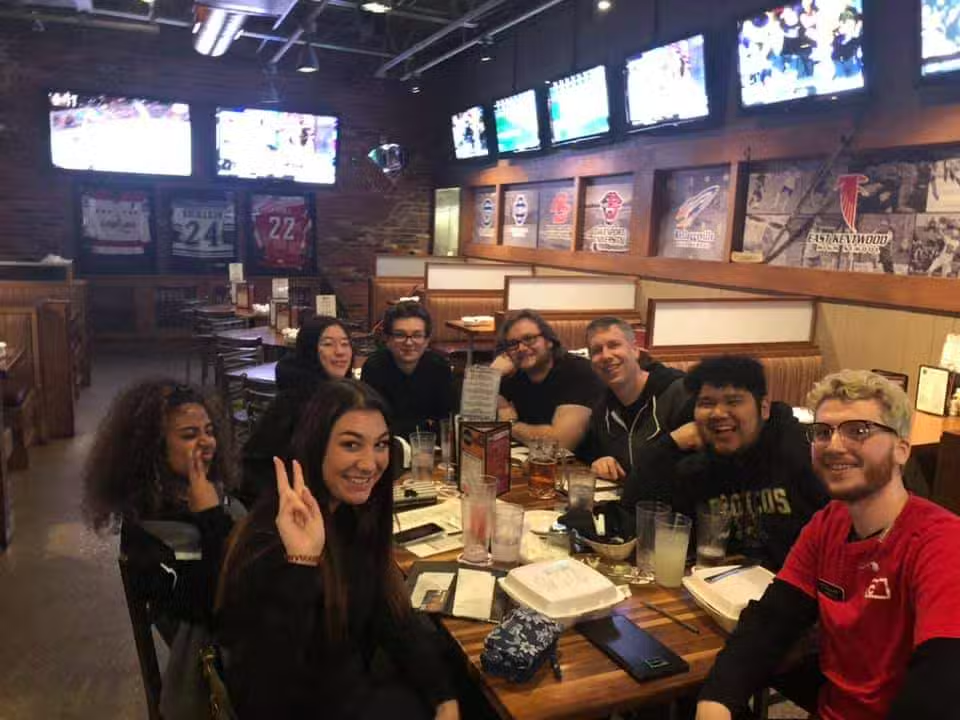
A list containing some of my favorite theater memories is preserved below.
Theater memories…
- Midsommar employee screening in theater 1
- Avengers: Endgame release night (D-Day)
- And many other busy nights
- Staff outings and holiday parties (too many to count)
- Daniel’s employee screening events (The Thing, Get Out, American Psycho, and many others)
- QC screening Arctic Dogs with Christian and Josh
- Matthew experiences a xenon projector lamp explosion
- Daniel dropping an entire container of popcorn kernels right before close
- Projectionist training shifts and changeover
- Peppino’s and Steak ’n Shake with the whole team after closing
- Closing shifts with Allyssa
- Theater and lot checks with Ellen
- Sneaking up on Dave in the booth
- Simon and Dave get revenge after the F9 employee screening
- Yesterday lobby promo loop (the same 8 seconds of the song, repeating forever)
- Lobby, NCM, and end credits music (I have a whole playlist!)
Connection to Cybersecurity
If you read everything up to this point then you might be thinking: “all of this is nice, but it isn’t cybersecurity.” That might be true, but I want to make the case that the skills I developed align with those necessary for cybersecurity roles—they were just used in a different context.
I’ll dive into more details in the following sections, but first, consider this excerpt from the cover letter that helped me land my IT Security internship at National Heritage Academies:
I worked at Celebration Cinema South before attending Ferris State University. Driven by curiosity about the inner workings of movie magic and a passion for technical behind-the-scenes roles, I worked my way up to the projectionist team. Unfortunately, much of our technology was dated and began to intermittently fail after theaters were allowed to re-open in the wake of pandemic lockdowns.
Although it was stressful and frustrating at times to handle the stream of problems, it also prepared me for critical information security tasks like incident response, incident analysis, and troubleshooting. The context is different, but the skills are fundamentally the same. I developed stronger investigative abilities, strove to handle each incident with efficiency, and enhanced my ability to understand, document, communicate, and resolve technology issues.
Just like with computers in cybersecurity, our projection technology is actually multiple systems working together and you must know how they interact. By the way, here’s another connection I always had in the back of my mind:
- TMS is like a SIEM
- Doremi/Projector is like an Endpoint
Incident Response
I mentioned that our technology was aging, and I’m not kidding about that. I remember seeing an old (now unavailable) video from 1995 touring the inside of the Studio 28 multiplex that was once part of the circuit. In this video you could see Dolby CP65 sound processors in the projection booth, many of which were either still in service or only very recently replaced on my last day at Celebration South in 2023. As for the technology that had to get replaced during the digital transition, well… Celebration Cinema was an original adopter of digital in 2007. I’ll let you do the math.
This means that our technology was constantly breaking. Combine this with the fact that theaters sat idle for over a year during the pandemic (i.e., none of the equipment had power despite being designed for daily use), and you’re basically asking for trouble. We experienced significantly more technology failures after the theater was allowed to reopen because of this. I’m told that the company paid someone to come in and occasionally power all the equipment on when they realized it shouldn’t be sitting idle for so long, but by then it was too late.
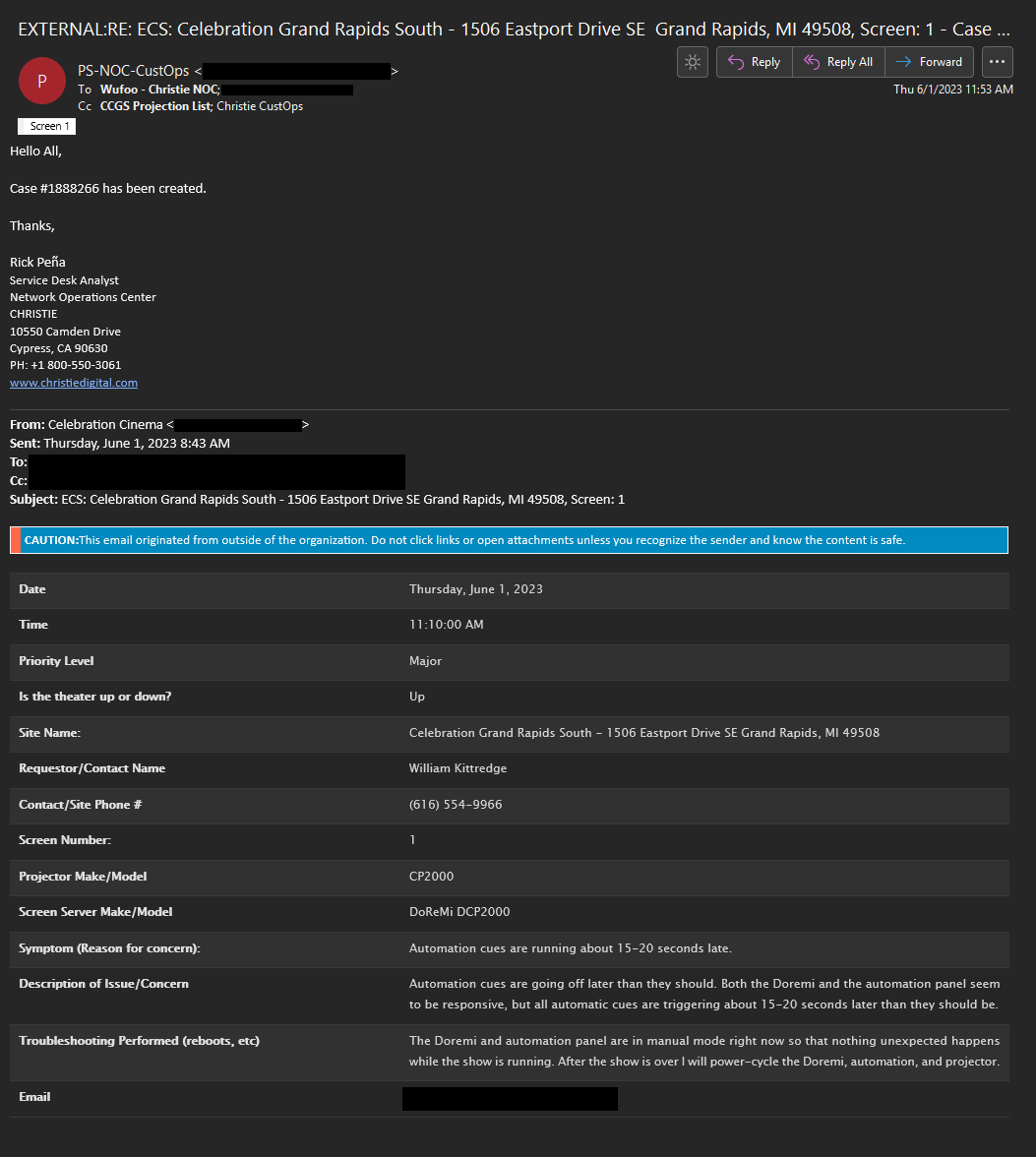
Maybe it’s just me, but the little adrenaline rush that comes after hearing “Hey projection…” over the radio (this almost always means that something is wrong) never went away, no matter how much knowledge or experience I gained. You simply learn how to deal with it, and even how to use it to your advantage. One second you could be writing an email, and five seconds later you might be booking it all the way down to the opposite end of the booth. And when you finally get to where you’re headed, you need to act. You don’t always have time to think “wait, how do I do this again?” to yourself in that moment.
In my mind, this is exactly like what one of my cybersecurity professors would always say during class. I’m paraphrasing here, but the gist of it is this:
Think of being in cybersecurity like being an athlete. I know it isn’t always fun or easy to do all of this learning and practicing beforehand, but we do it so we’re ready to go on game day. We do it so that these skills become second nature and that when the time comes, you and your team won’t be scrambling because you already know what to do.
In this sense, my experience with being the projectionist on duty when our technology failed was the exact same as what I experienced during my cyber competitions and NHA internship.
When our CyberForce competition blue team had to respond to the red team breaching our infrastructure, we already had a plan. We knew who would be tasked with investigating and what we would do first. When our IT Security team logged in for the morning at NHA to discover high priority alerts waiting for us in the queue, we didn’t have to stop and think about what our next steps would be. All of my practice and experience leading up to these moments allowed me to take immediate and effective actions in much the same way that I already knew what I had to do when I was racing down the booth to fix a projector.
One thing to keep in mind, however, is that incident response doesn’t just end with responding to the incident. The wisdom I just shared from my professor wasn’t actually the end of his sporting analogies. Another thing he would often remind us is that “cyber is a team sport.” Part of this means staying on top of your communication and reporting after something goes wrong, and I’m certainly no stranger to that part of incident response. I no longer have access to all of my old projection emails, but what I can tell you is that the ones I do have span from 2022-2023 (only about 1/4th of my time in the booth) and we filled out over 200 reports related to presentation incidents, flaws, and maintenance during this time.
Knowing the Technology
Part of effective incident response is knowing your technology, regardless of whether the context is cybersecurity or movie theater projection. In both cases, you’re often dealing with very serious pieces of professional business-grade hardware and software. It’s important to understand how your systems function and what they’re capable of. Not only does this mean studying up, it also means paying attention to the little things about their behavior, monitoring data, and alerts. Sure, that strange login might be nothing, but it could also be an indicator of compromise.
I want to tell a short story about one of our projectors to help illustrate my point. For the unaware, cinema projectors and lamps are serious (not to mention expensive) pieces of equipment.
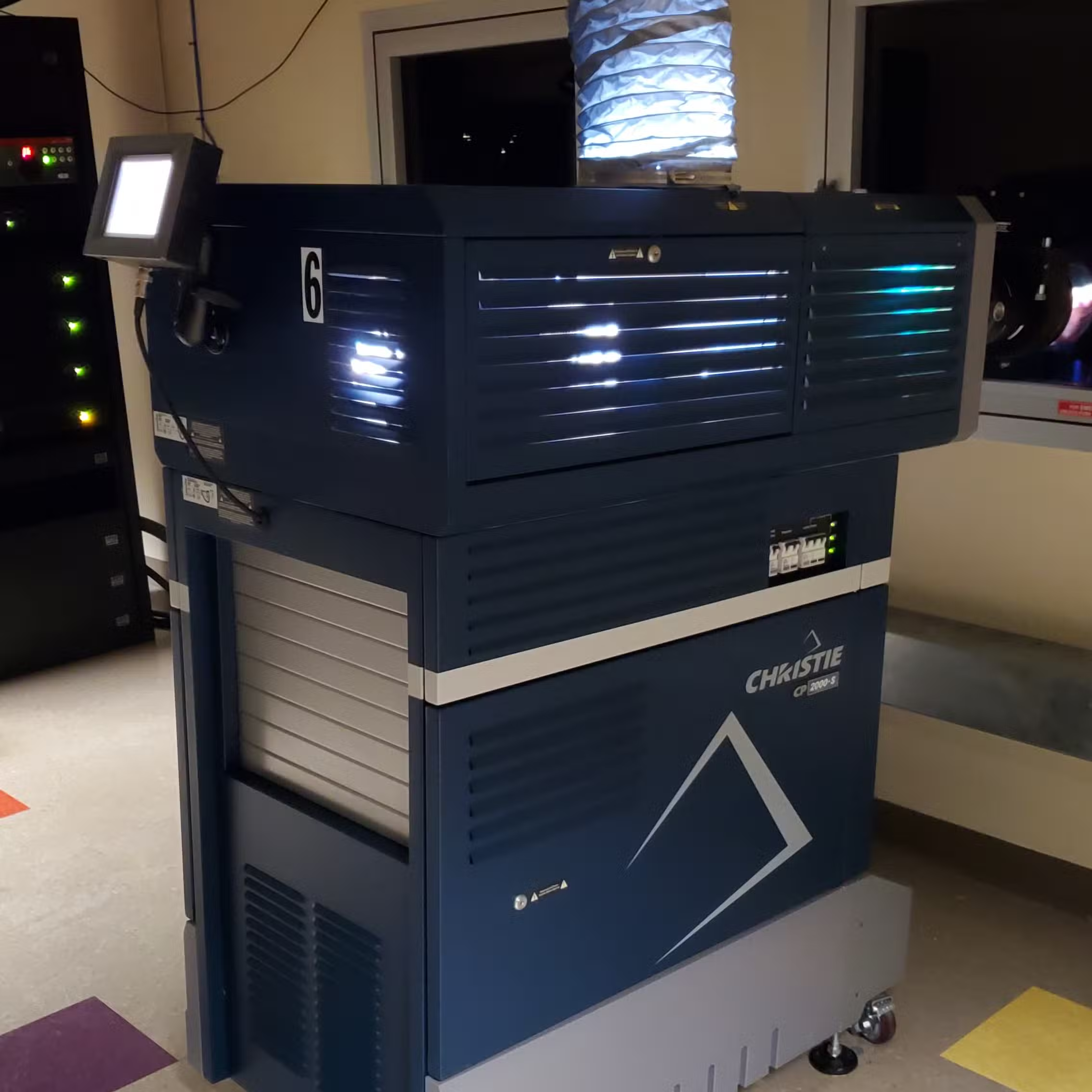
Although laser projectors are starting to take over now, many cinemas still use older digital projectors that require xenon arc lamps (I’ll never forget the ignition sound. Couldn’t find a video, sorry!). The largest screens at my cinema required 6,000 watt lamps that cost >$2,000 per unit. The lamp is housed in a containment area within the projector and you’re required to wear specialized protective equipment when you handle them because… well, I’ll let you read some warnings taken directly from the manual:
Any Xenon arc lamp used in the CP2000 is under high pressure and must be handled with great care at all times. Lamps may explode if dropped or mishandled.
EXPLOSION HAZARD—Wear authorized protective clothing whenever the lamp door is open! Never apply a twisting or bending force to the quartz lamp body.
Never attempt to remove the lamp when it is hot. The lamp is under great pressure when hot and may explode, causing personal injury and/or property damage. Allow to cool completely.
Handle box with extreme caution—the lamp is hazardous even when packaged. Dispose of lamp box according to safety regulations for your area.
In case anyone is curious, I did get to witness a lamp explosion once when our lead projectionist was replacing an old one at the end of its service life. They sound like a gunshot.
These lamps become so hot during operation that they require active cooling to prevent explosions. Each projector has an interlock system that blocks the lamp from operating without an extractor fan to remove the hot air. It’s basically impossible to miss when something goes wrong with the extractor fan because the projector TPC gives you a huge red warning.
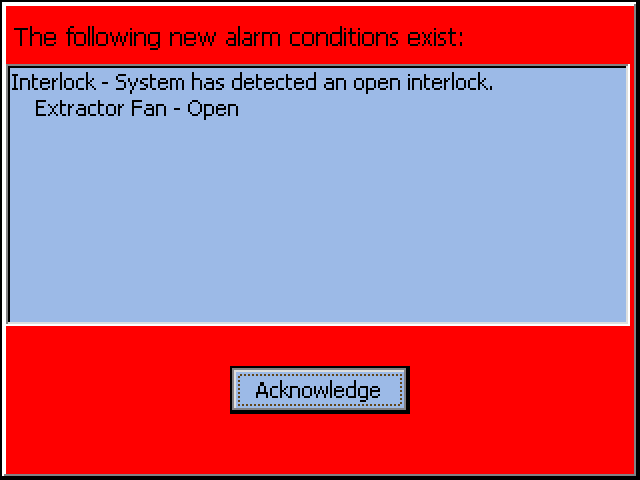
We have temporary cooling units that we can use in the event of an extractor fan failure, but we depend on the interlock system to know when a failure has occurred. So what happens when the interlock system fails? This actually happened once.
I was making my closing rounds at the end of the night and went to shut off all the equipment at theater 14 when the last showtime ended. That projector’s extractor fan had experienced a failure and been repaired recently, so I was being extra vigilant. I shut off the extractor fan and started to go shut off the projector at the breaker box, but then I noticed something strange. The TPC didn’t register that I had turned the fan off—it should’ve had a massive red warning on it, and it didn’t.
This technically wasn’t in my job description, but I had previously read through all the manuals for our equipment (see documentation and training for more details). I immediately went digging for the relevant page and found what I was looking for. The interlock system operates based on a simple metal fin (called a vane switch) that gets pulled into the correct position by moving air while the extractor fan is on, and this projector must’ve had a damaged one.
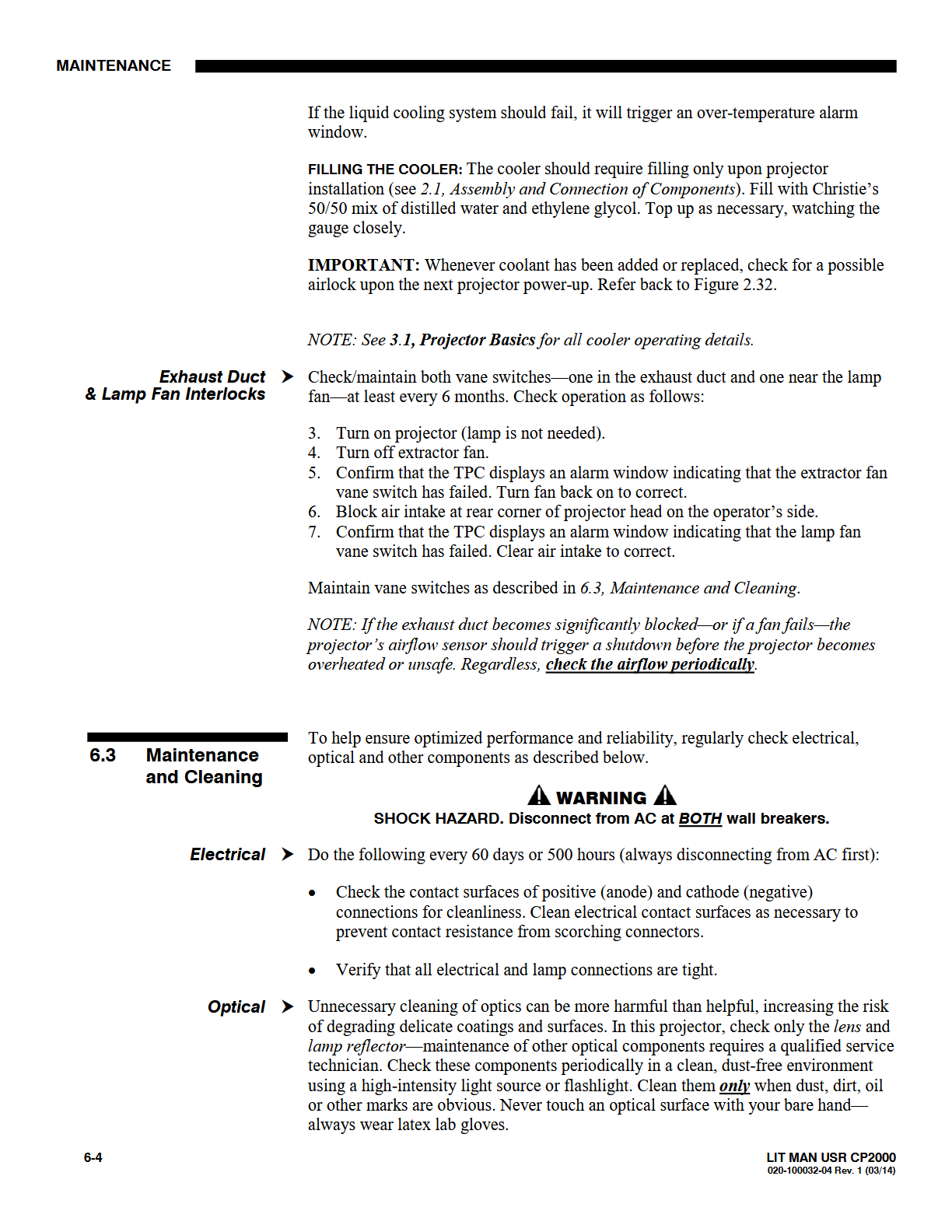
I used the maintenance procedure to test it and confirmed that the vane switch didn’t work. I took this fact to its logical conclusion and realized that if our (now proven unreliable) extractor fan broke again, then the TPC would not be aware of it and the lamp would continue operating until an explosion occured. This is obviously dangerous, but it’s also extremely expensive. You don’t want a lamp to explode, and if it does explode, you don’t want it anywhere near your equipment and staff. I communicated this to our managers and the rest of the projection team, then raised a fuss in Christie incident reports to get the problem resolved.
The point I want to make here is that knowing how your systems work is very important, and having more knowledge can make a major difference. It pays off be vigilant, resourceful, and persistent. This is the exact same attitude that I brought to the team while I was doing group projects in university, competing in cyber competitions, and working IT Security at NHA. The little things matter, and if you aren’t careful they can turn into major problems. Nip it in the bud.
Automation and Optimization
Another way that cybersecurity and projection jobs are alike is that both rely on automation. You can’t just go out manually collecting data from each and every endpoint using something like tcpdump and then go feeding that data into a protocol analyzer. Maybe this is something you’d do when you need to take a closer look at a specific device, but in the meantime, you need your SIEM technology and automation to be looking at the thousands of others. Cyber doesn’t sleep—things are still happening out there in the meantime. Furthermore, you need to continue optimizing your automation to give you more time for the things that matter most. For cyber jobs this might look like tuning alert and detection rules to get rid of false positives and reduce ticket fatigue so that you actually have the time and energy to handle something major.
The stakes aren’t quite as high in projectionist jobs, but the motivations are exactly the same: automate and optimize to reduce the time you spend on tedious and less important things while maximizing the time spent on harder problems and things that matter more.
One great example of this was when I automated part of our process to update the Digital Print Log (DPL) every week. This is one of the most important weekly tasks because it helps us track our readiness leading up to new weekend releases, but it also tends to be time-consuming, boring, and error-prone. Normally the person stuck doing the DPL is responsible for updating information, changing dates, and copying/pasting rows around such that it accurately reflects the upcoming schedule. I wired our whole Excel spreadsheet up with VBA to automate much of this (see below).
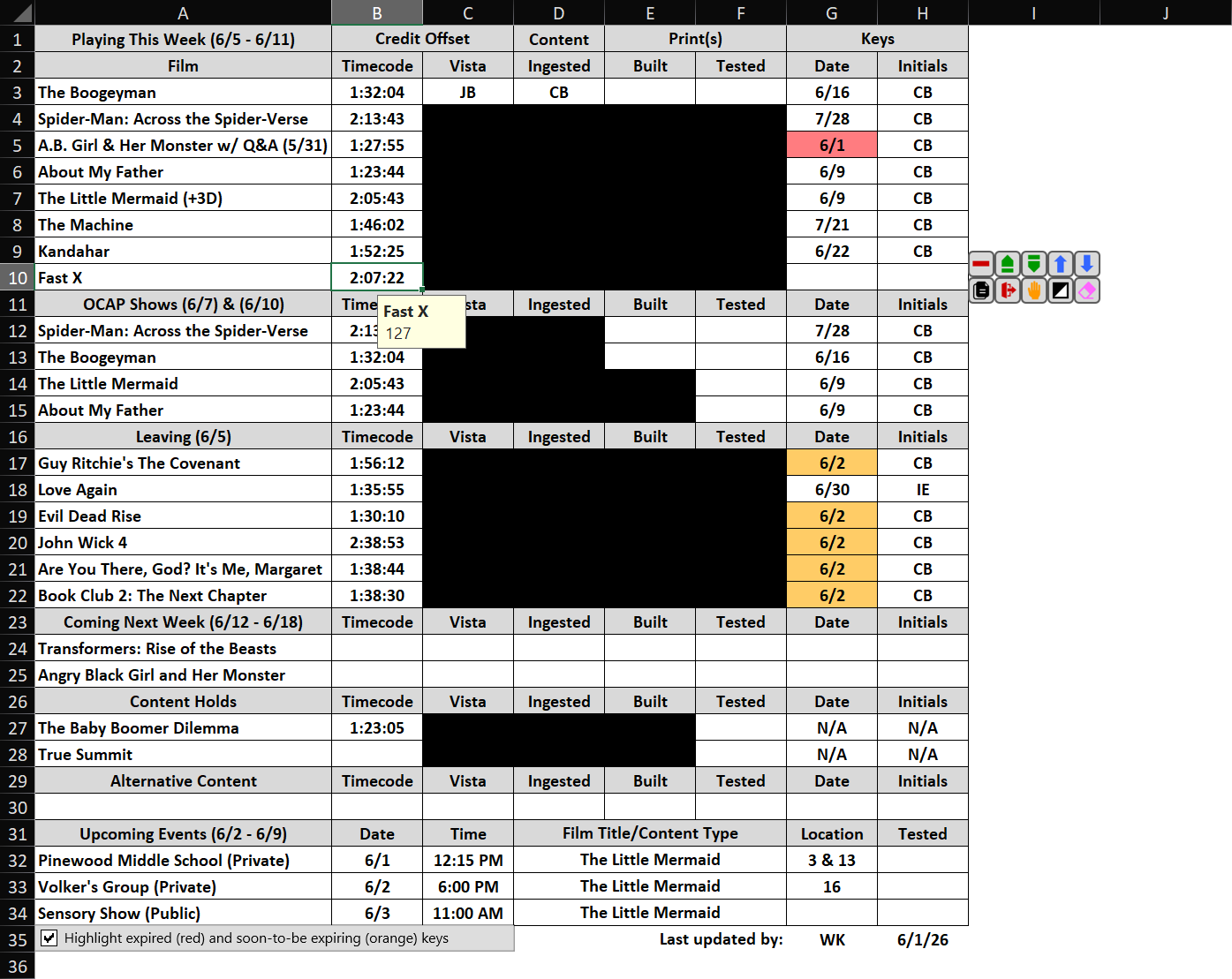
Here’s a closer look at what’s going on:
- The spreadsheet automatically tracks the last person to update it (records initials and date)
- A math function determines which keys (KDMs) are already expired and highlights them in red
- Another math function determines which keys will be expired before the DPL is updated again
- All automatic dates (i.e., not key expiration dates) are adjustable and update weekly
- Clicking inside a row (except section headers) displays a set of context-aware buttons to the right
- Clicking on a film’s credit timecode calculates the nearest approximation in total minutes (used elsewhere)
So what do the buttons do? How I configure options and adjust everything? We had a configuration sheet for that!
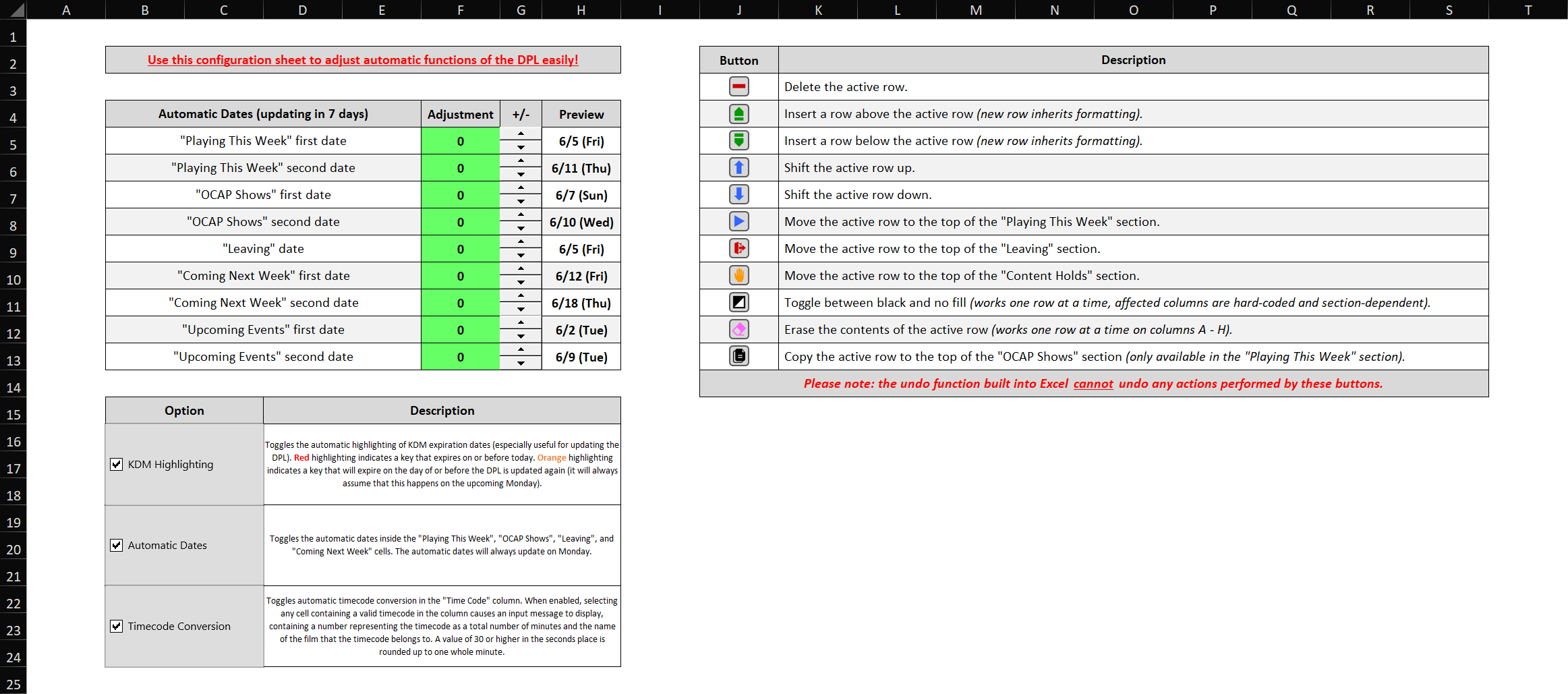
There were a couple more hidden and advanced DPL features, but I won’t go over those here. I won’t lie when I say that developing this automation was not always fun. I was completely self-taught with no prior VBA experience (also, this was before LLMs could generate code for you…), so it took quite a lot of learning and experimenting to get this functional. The end result, however, has undoubtedly saved us hours of toiling away editing spreadsheets and prevented many mistakes.
A simpler example of automating and optimizing that applies to almost every job (IT Security at NHA included!) is keeping your email inbox organized. Just like I did at NHA, I had a whole suite of inbox rules to keep everything organized while I was projectionist. This included things like sorting your mail into folders, clearing out unimportant/automatic messages, and even categorizing each incident report based on type and theater number to make them more searchable.
Documentation and Training
Everyone in cybersecurity knows that a surprising amount of what we do involves reading (and sometimes writing) manuals and documentation. Securing information systems begins with understanding both how they function and what they’re capable of. You need foundational knowledge of how they operate and an intuition for selecting the right tool for the job when something goes wrong.
Projectionist jobs are the same; you need to know how each digital cinema system is interacting with the others when something goes wrong if you want a chance at fixing it. And something always goes wrong. I spent a significant portion of my free time reading through user manuals for our equipment. (Check them out if you’re interested!) Technically, this wasn’t part of my job description—outside of everyday operations I was only expected to handle simple issues. Near-realtime support was available from the Christie NOC for more advanced issues, and they could always dispatch a technician on short notice if necessary.
Although reading manuals can get old fast, I can confirm that it paid dividends (see knowing the technology). I was able to more easily troubleshoot problems as they occurred and prevent disasters before they had a chance to develop thanks to my deeper knowledge of each system. In the event that a Christie technician needed to take over, I was able to provide them with enough technical information such that they knew what they were getting into and what their next steps were before arriving.
Another connection between projection and cybersecurity is the importance of recording your actions and communicating the lessons you learned for developing future talent. I was able to pass a lot of knowledge on to the new projectionists I helped train:
- Isabelle
- Jasmine
- Juan
- Sophia
A lot of this happened in the form of on-the-job training that I can’t really provide here, but I do have some leftover training and reference materials to show that I created. You probably already saw the Projection Basics Refernce Sheet in the basic information section, but I also made the documents outlined below.
Work-in-Progress Booth Manual
An updated projection booth manual created entirely from scratch. It was intended to replace our old manual, but I didn’t have enough time to finish it before leaving to attend Ferris State University. You can see the section that I did finish below. The complete version was planned to cover all aspects of projection.
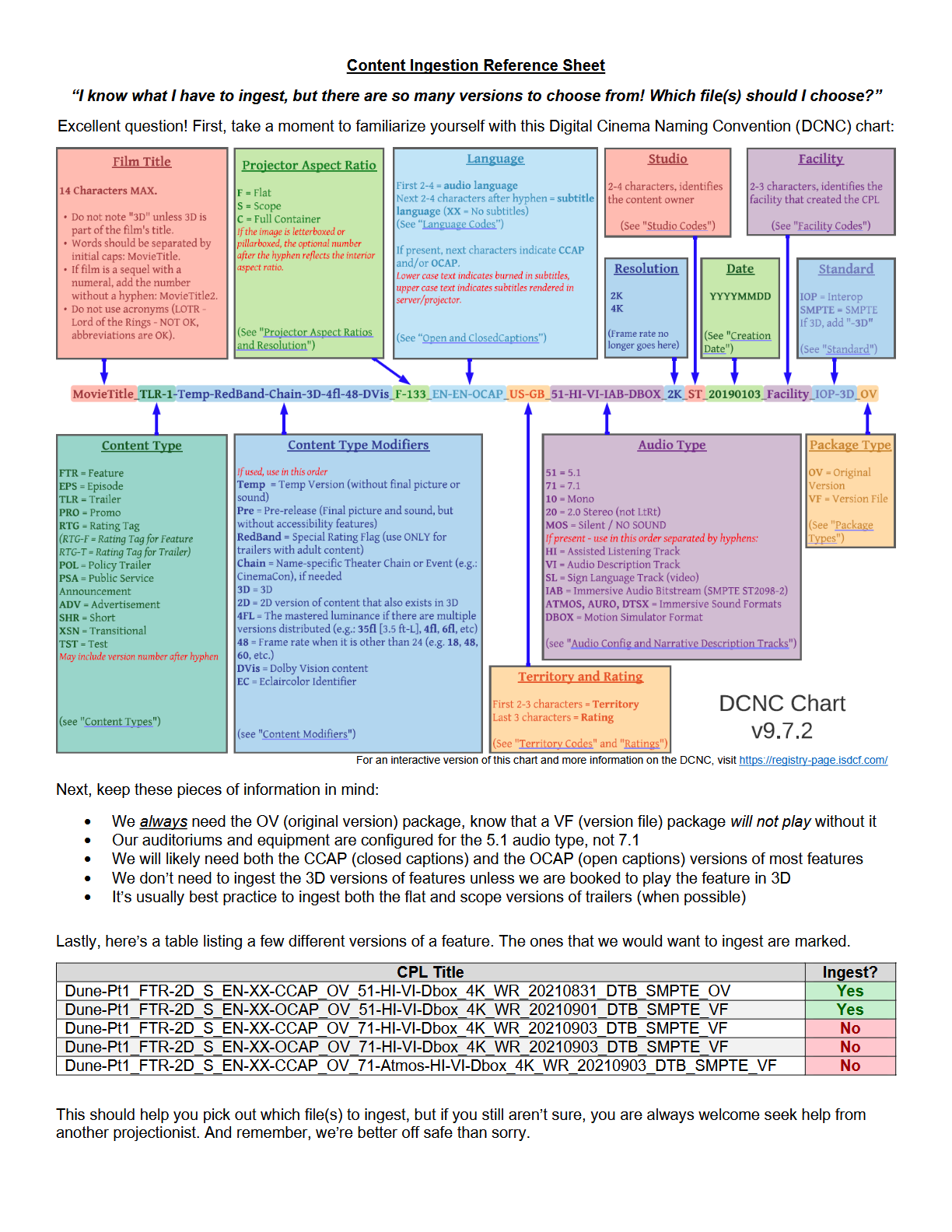
Content Ingestion Reference Sheet
A simple reference created to help new projectionists know which DCPs to ingest.
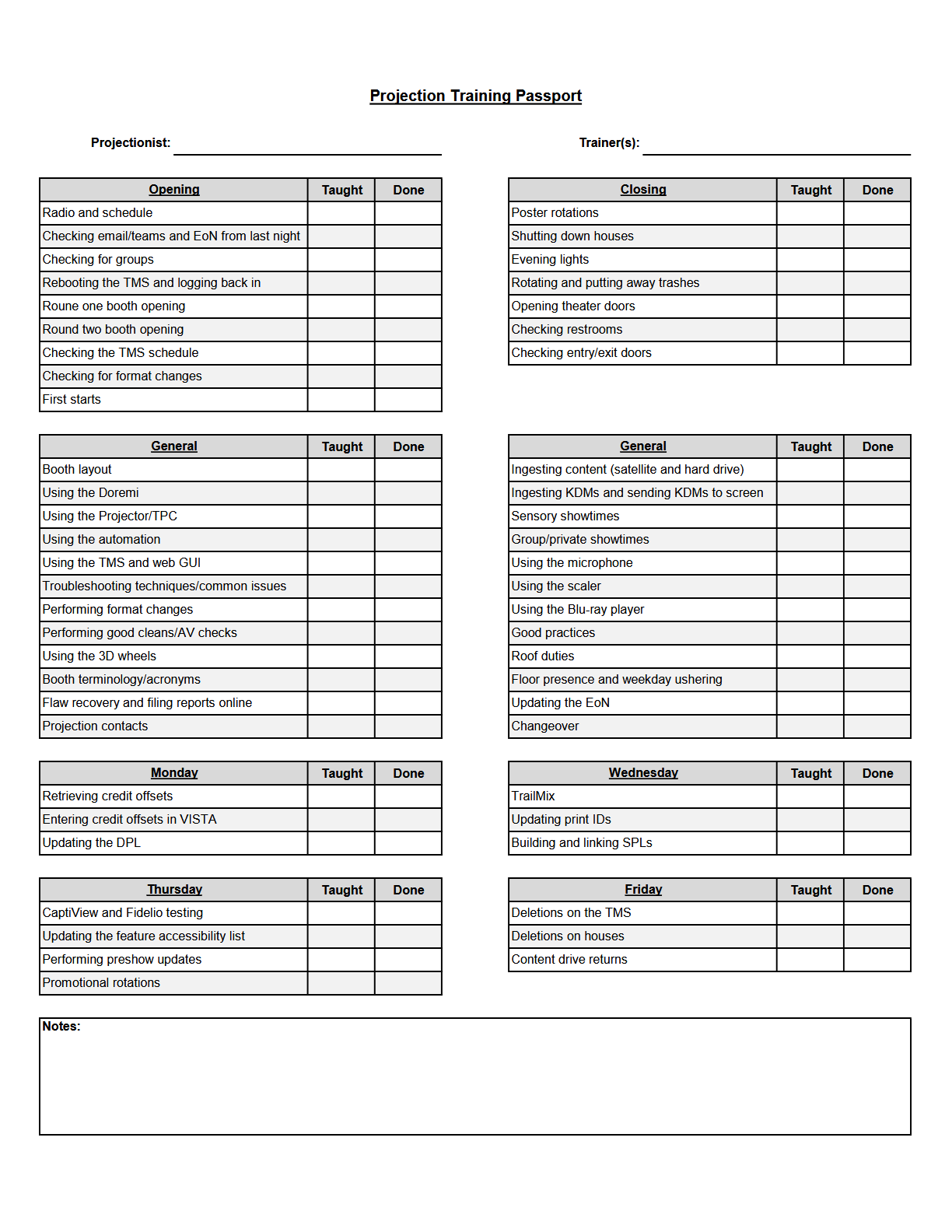
Projection Training Passport
An updated version of a checklist used to track projection trainee progress.